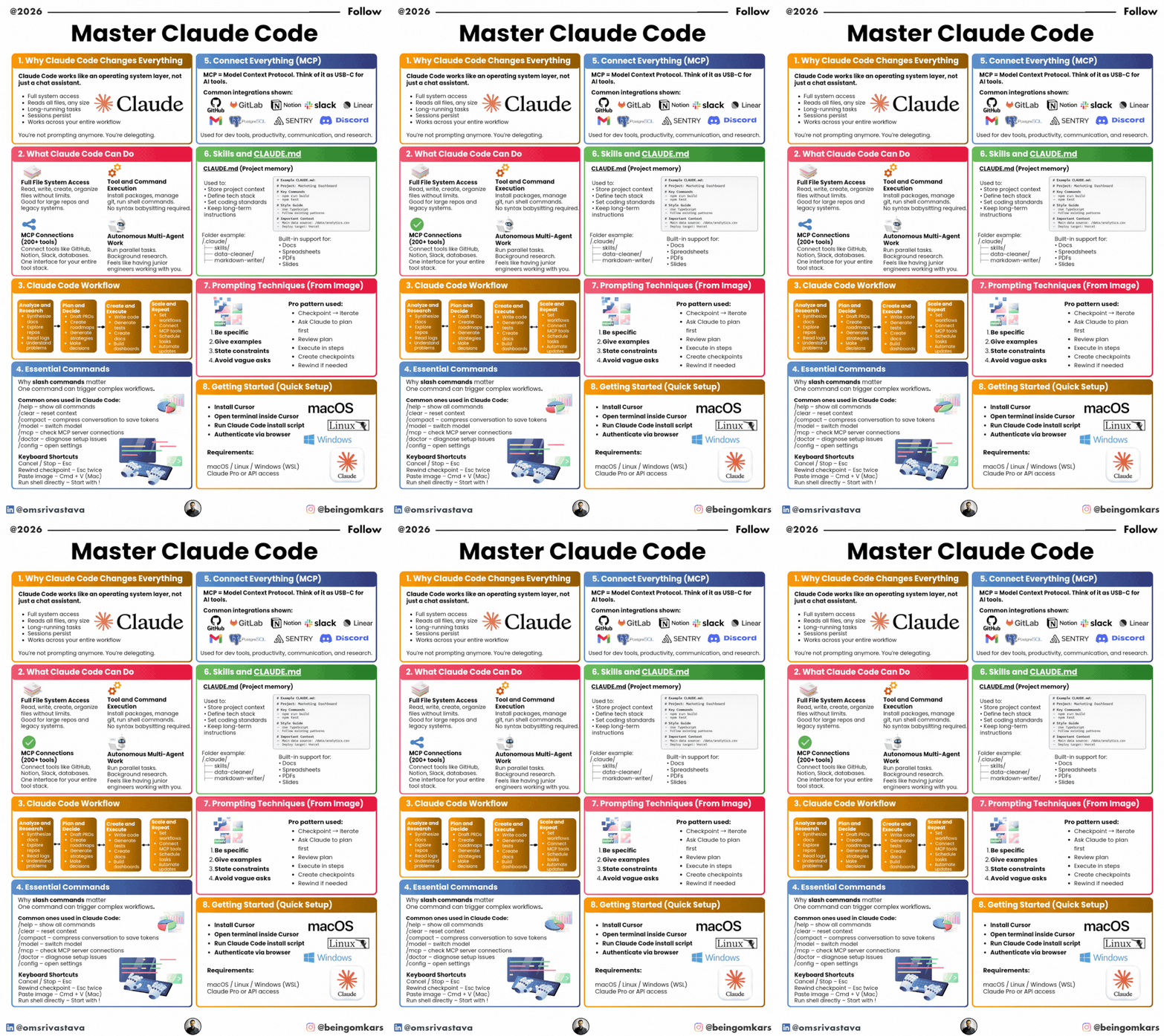
Most people use Claude like a chatbot.
That is the wrong model.
Claude Code works more like an operating system layer for your workflow.
Here is the simplified breakdown:
𝟏. 𝐖𝐡𝐲 𝐈𝐭 𝐂𝐡𝐚𝐧𝐠𝐞𝐬 𝐄𝐯𝐞𝐫𝐲𝐭𝐡𝐢𝐧𝐠
Claude Code gives you:
– Full file system access
– Long-running task execution
– Persistent sessions
– Workflow-level integration
You are not prompting anymore.
You are delegating.
𝟐. 𝐖𝐡𝐚𝐭 𝐈𝐭 𝐂𝐚𝐧 𝐃𝐨
File System Access
Read, write, create, and modify large codebases.
Command Execution
Run shell commands, manage git, install packages.
MCP Connections
Connect to GitHub, GitLab, Notion, Slack, databases, and more.
Parallel Work
Handle multi-step tasks in the background.
𝟑. 𝐓𝐡𝐞 𝐖𝐨𝐫𝐤𝐟𝐥𝐨𝐰
1. Analyze (docs, repos, logs)
2. Plan (PRDs, roadmaps, strategy)
3. Execute (code, tests, docs)
4. Automate (connect tools, schedule tasks)
Repeat.
𝟒. 𝐔𝐬𝐞 𝐂𝐋𝐀𝐔𝐃𝐄.𝐦𝐝
Treat `CLAUDE.md` as project memory.
Use it to:
– Store context
– Define tech stack
– Set coding standards
– Keep long-term instructions
This makes Claude persistent and aligned to your project.
𝟓. 𝐏𝐫𝐨𝐦𝐩𝐭𝐢𝐧𝐠 𝐏𝐚𝐭𝐭𝐞𝐫𝐧
– Be specific
– Give examples
– State constraints
– Ask for a plan first
– Execute in steps
Think in checkpoints, not single prompts.
𝟔. 𝐓𝐡𝐞 𝐒𝐡𝐢𝐟𝐭
Claude Code is not about better prompts.
It is about:
Delegation.
Tool orchestration.
Persistent workflows.